Blender Add-on Page
Starting with version 2.6.0, the Blender add-on is included in the Android app. The Blender Add-on page gives you the add-on ZIP for the first installation and sends every later update to Blender over your local network.
Open the Page
- On the Connection screen, tap Install beside Blender Add-on.
- Open Settings. The first card, Blender Add-on, shows the included version and, when known, whether Blender needs an update. Tap Open Blender Add-on.
- In the version warning, tap Update Add-on when the add-on is the older side.
- From Help or About, use the Blender add-on buttons.
Camera Controller and Light Tabs
The page has two tabs. Camera Controller is the regular add-on and the right choice for almost everyone. Light is a fallback for computers where the full add-on cannot install its Python dependencies: it has no Camera Streaming and does not generate a QR code, so you connect by typing the IP address and port shown in Blender. See Camera Controller Light.
Install in Blender
The Install in Blender card shows the included version and file size.
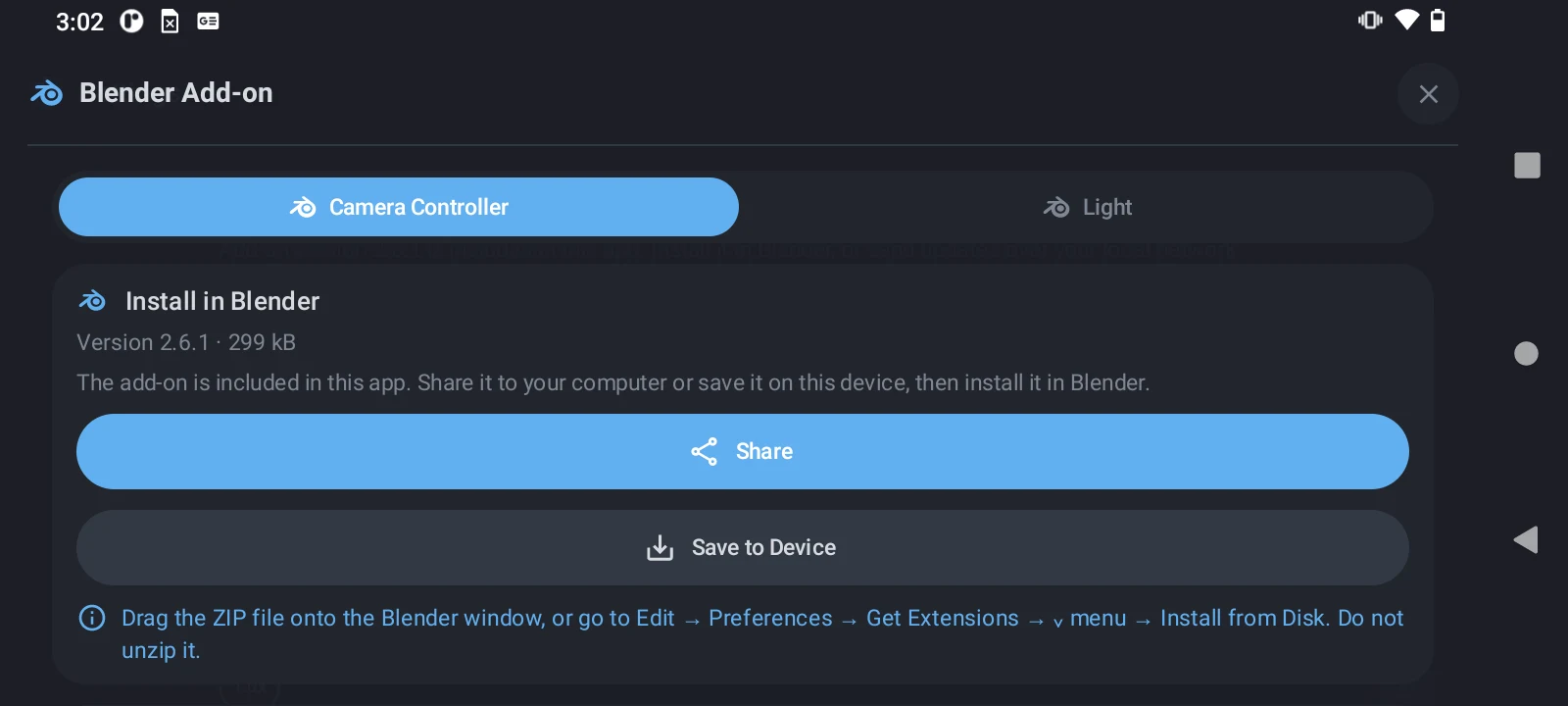
- Share opens Android's share sheet, so you can send the ZIP to your computer by email, cloud storage, nearby sharing, or any other app. This is also the way to get the ZIP onto a computer for a fully manual install when the network update below is not an option.
- Save to Device saves the ZIP where you choose on the phone.
Then drag the ZIP onto the Blender window, or use Edit > Preferences > Get Extensions > ⌄ > Install from Disk. Do not unzip it. The complete steps are in Install the Blender Add-on.
Update Over the Network
This card updates an add-on that is already installed (version 2.6.0 or later) without handling files.
- Blender at … shows the IP address and port from the Connection screen.
- The In Blender and In this app tiles show both versions. A Blender version that blocks the connection is highlighted.
- A status box shows one message at a time: checking, an optional or required update, sending, sent, or an error with its reason.
- Update in Blender sends the edition that Blender is running. Blender then shows a confirmation box with Install and Discard.
- Check Again asks Blender for its version, for example after it reloads the new add-on.
The page asks Blender for its version each time it opens. The Blender server must be running for the check and the update to work. The full workflow is in Add-on Updates.
Optional and Required Updates
From version 2.6.1, this page also sends minor updates, and they are optional: you can keep working with the add-on you have and update whenever it suits you. Major updates remain required before the app connects.
| Blender has | The app carries | Update | What you see |
|---|---|---|---|
| 2.6.1 | 2.6.2 | Optional | You stay connected. A short blue notice after connecting, a blue status on this page, and a normal Install button in Blender. Update whenever it suits you. |
| 2.6.1 | 2.7.0 | Required | The connection is refused with the version warning. Update Add-on opens this page with an orange status, and Blender shows a highlighted Install button. |
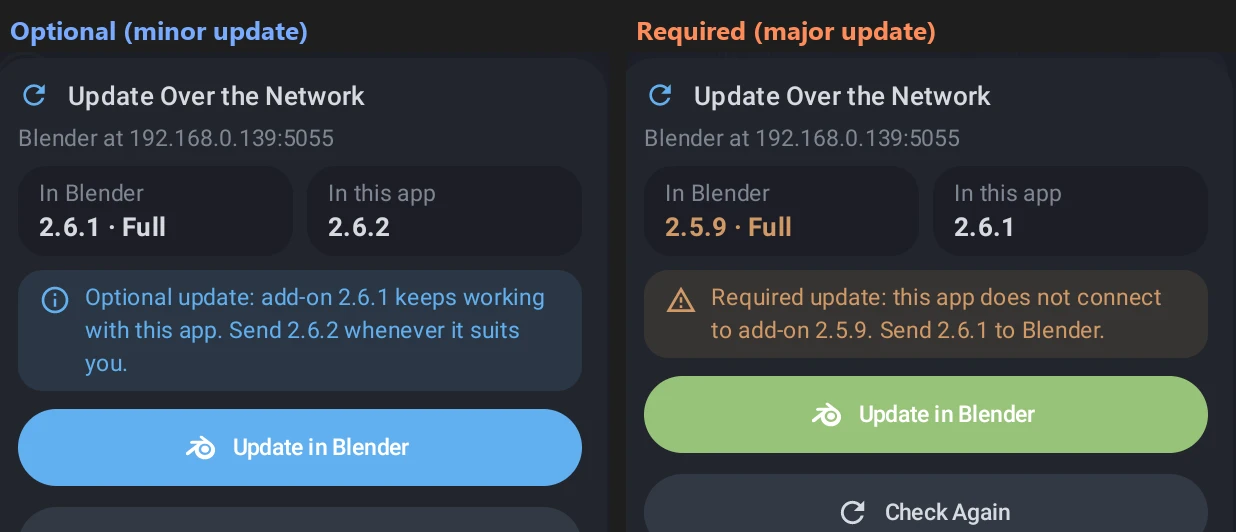
The rule is the same one the connection uses: the app connects to any add-on with the same first two numbers (X.Y). Only add-on 2.6.1 or later draws the quieter optional box in Blender; an older add-on still receives the update, with its original confirmation box.